

Your AI teaches.
Paathshala remembers.
A study library that lives on your computer and is filled by the AI tool you already use. Courses, lessons, quizzes, spaced review, Q&A and interactive 3D models, for a 7-year-old learning to count or a UPSC aspirant.
Works with any MCP-capable AI tool
Product names and logos belong to their owners and are shown only to indicate compatibility.
AI chats teach well. They don’t keep.
You learn something brilliant on Tuesday. By March it’s buried in a scroll of old chats, with no quiz, no revision and no map of what you’ve covered.
- ✕Lessons vanish into chat history
- ✕No spaced revision, so you forget
- ✕Nothing organised by course or chapter
- ✕Switch AI tool and start from zero
- Everything saved as courses, lessons and quizzes
- Missed questions return at 1, 3, 7, 16 and 35 days
- Search, tags and one Inbox for what’s pending
- Any MCP-capable AI can read and write the same library
Three steps. No account. No key.
Connect
Run npx paathshala, then copy one config snippet from the Connect page into your AI tool.
Ask your AI
“Build a Class 8 science course.” Your AI uses Paathshala’s MCP tools to write it into your library.

Learn & review
Read, practise, ask questions and revise. The app updates live as your AI adds more.
The MCP server and the app share a single SQLite file, so anything your AI writes shows up in the app within seconds.
Everything a study library needs
Each of these is interactive below. Try them.
A real structure for months of learning
Course → Subject → Chapter → Lesson. Rename the levels to match how you learn: UPSC uses Paper → Topic.
- Syllabus-shaped trees that your AI builds in one request
- Lessons can also stand alone, outside any course
- Tags and global search across everything
Every course can rename its levels. Click rows to expand.
Practise once, remember for good
MCQs, flashcards and written answers. Anything you miss returns on a Leitner schedule of 1, 3, 7, 16 and 35 days.
- MCQ quizzes with a 70% pass mark
- Flashcards, and written answers with word limits and model answers
- One Review queue that tells you what is due today
What is the SI unit of pressure?
Pascal (Pa) = N/m²
Ask the exact line you’re stuck on
Highlight a passage in a lesson, or click a part of a 3D model, and ask. Your AI answers over MCP and the thread is kept forever.
- Questions keep the passage they were about
- AI-tool conversations can be saved back into Paathshala
- Open questions wait in your Inbox until answered
↑ Try it: click the highlighted sentence
Everything waiting for your AI, in one place
Open questions, requested courses, lessons and models. Copy a ready-made prompt, or hit Run AI and let your own Claude Code work through it.
- “Copy prompt” for any AI tool you like
- “Run AI” launches your local Claude Code headlessly: no API key
- Live refresh: new content appears in the open app in seconds
- Question: Why doesn’t shape matter?
- Course requested: Class 6 History
- Lesson placeholder: Atmospheric pressure
- 3D model requested: Human heart
Everything waiting for your AI, in one place.
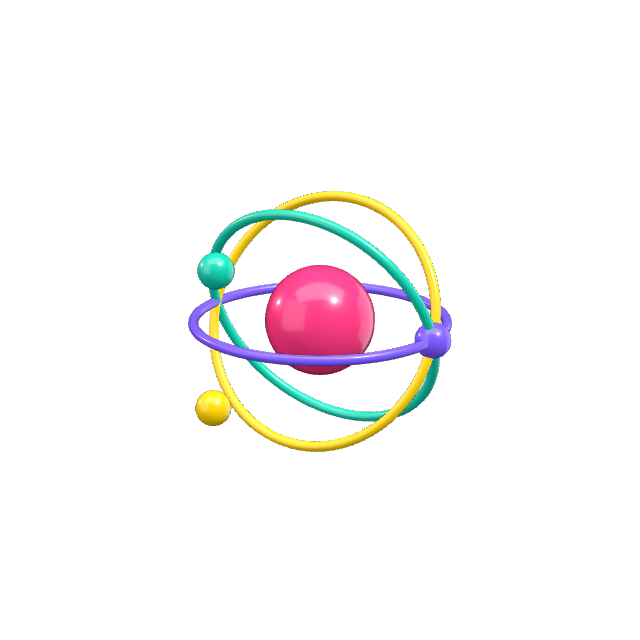
Ask for a model. Take it apart.
Your AI describes a model in safe, declarative JSON. Paathshala validates it and renders it in 3D. Nothing your AI writes is ever executed. This is the built-in engine model, running live.
Pull the assembly apart by level to see how it fits.
Read what it is, what it does, its forces and materials.
Guided steps move the camera and focus each part.
Pick a part and the question goes to your AI’s Inbox.
{"title": "Four-stroke petrol engine""upAxis": "y""parameters": [{ "id": "rpm", "min": 10, "max": 240 }]"parts": [{"id": "piston""geometry": { "type": "lathe", "profile": [[0,0.5], …] }"material": { "preset": "aluminium" }"motion": { "translate": ["0", "dy", "0"] }"explode": { "direction": [0,1,0], "distance": 1 }"info": { "summary": "A plug that slides…", … }}, … 46 more parts ]"tour": [ 7 guided steps ]}
- A validated, safe scene: no code runs in your browser
- Parts you can click, hide, isolate and explode
- Clickable facts: summary, role, materials and forces
- A built-in IC engine and Fourier series to try offline
One app, from first counting to UPSC
Pick an audience and the whole reading experience adapts: type size, density, button size and how questions are asked.
- Young (5–10): big type, one question at a time, Read aloud
- School (11–18): syllabus order and worked examples
- Advanced: dense layout, contents, previous-year questions
Pressure in fluids
Pressure is force per unit area. For a liquid at depth h, the pressure is P = ρgh. Worked example: find the pressure 10 m under water.
Syllabus order · worked examples
AI writes appear in the open app within seconds.
Find any lesson, question or course instantly.
See exactly what your AI added and when.
Tell your AI who you are so it teaches at your level.
Browser-based text to speech on every lesson.
Beautiful equations and worked examples.
A trimmed-down app for young children.
Soft neumorphic UI that is easy on the eyes.
Made for every learner
The same app adapts from a first counting lesson to exam-level written answers.
Young learners
Big type, one question at a time, Read aloud and Simple mode. Let your AI be the patient storyteller.
School students
Board-shaped courses, syllabus order, worked examples and revision that sticks before exams.
Exam aspirants
Paper → Topic structure, previous-year questions and written answers with model answers.

Professionals
Build a private curriculum on any subject and revisit it months later without losing the thread.
Parents & teachers
Set up a course for a child or a class, check progress, and keep every lesson in one place.
Just say what you want to learn
Paste any of these into your connected AI tool.
“Teach me how volcanoes work and save it to Paathshala as a lesson with a 5-question quiz.”
“Make a Paathshala lesson that teaches counting to 20 to a 7-year-old, with a quiz of one-at-a-time questions.”
“Build a Paathshala course for Class 8 CBSE Science, with subjects, chapters, lessons and a quiz for each chapter.”
“Build a UPSC Prelims GS Paper 1 course in Paathshala. Use Paper → Topic levels, and add previous-year style MCQs.”
“Make a 3D model of the human heart in Paathshala with an explode view, clickable chambers and a guided tour of blood flow.”
“Create a Paathshala 3D lab showing z = sin(x)·cos(y) as a surface, with a lesson explaining partial derivatives.”
Local-first, by design
Your library is one SQLite file on your computer. No account, no cloud, no telemetry, no vendor lock-in. The app makes zero AI calls itself. Copy the file to back it up, move it, or delete it whenever you like.
~/.paathshala/paathshala.dbcp ~/.paathshala/paathshala.db ~/Backups/
Your whole library lives in a single file you can see.
No sign-up, no cloud, no telemetry.
The app makes zero AI calls and needs no key.
Copy it to back up. Delete it any time.
Questions, answered
No. The app itself never calls an AI. Your existing AI tool (Claude, Cursor, Windsurf…) does the teaching over MCP, using whatever plan you already have.
Give your AI a school to teach in.
One prompt to your AI, or one command. Free forever. Starts in seconds.